Paid part of a bill? Waiting for an automatic payment to clear? TidyExpenses helps you keep track of the amount still owed. Take a look at its bill-tracking features and limits before you buy. This is our own studio's app, sold through Applings Studio.
You paid $40 toward a $100 electric bill last week. Today you're staring at a paper list, a banking app, and a sticky note, trying to work out what's actually still owed. A spreadsheet could tell you — if you trust the formula you wrote at 11pm three months ago and haven't touched since. A checkbox tracker can't tell you at all; it only knows paid or not paid, never "paid some of it."
That specific, small, irritating gap is where TidyExpenses starts.
TidyExpenses is a single HTML file you open in your browser — no install, no account, no server on the other end deciding what you're allowed to do. That last part is also the honest limit: without a server, nothing syncs between your phone and your laptop by itself, and nothing gets pulled in from your bank automatically. You tell it about a bill once; it remembers from there.
Start with the everyday jobs: record a partial payment, set up a recurring bill, and confirm an automatic payment.
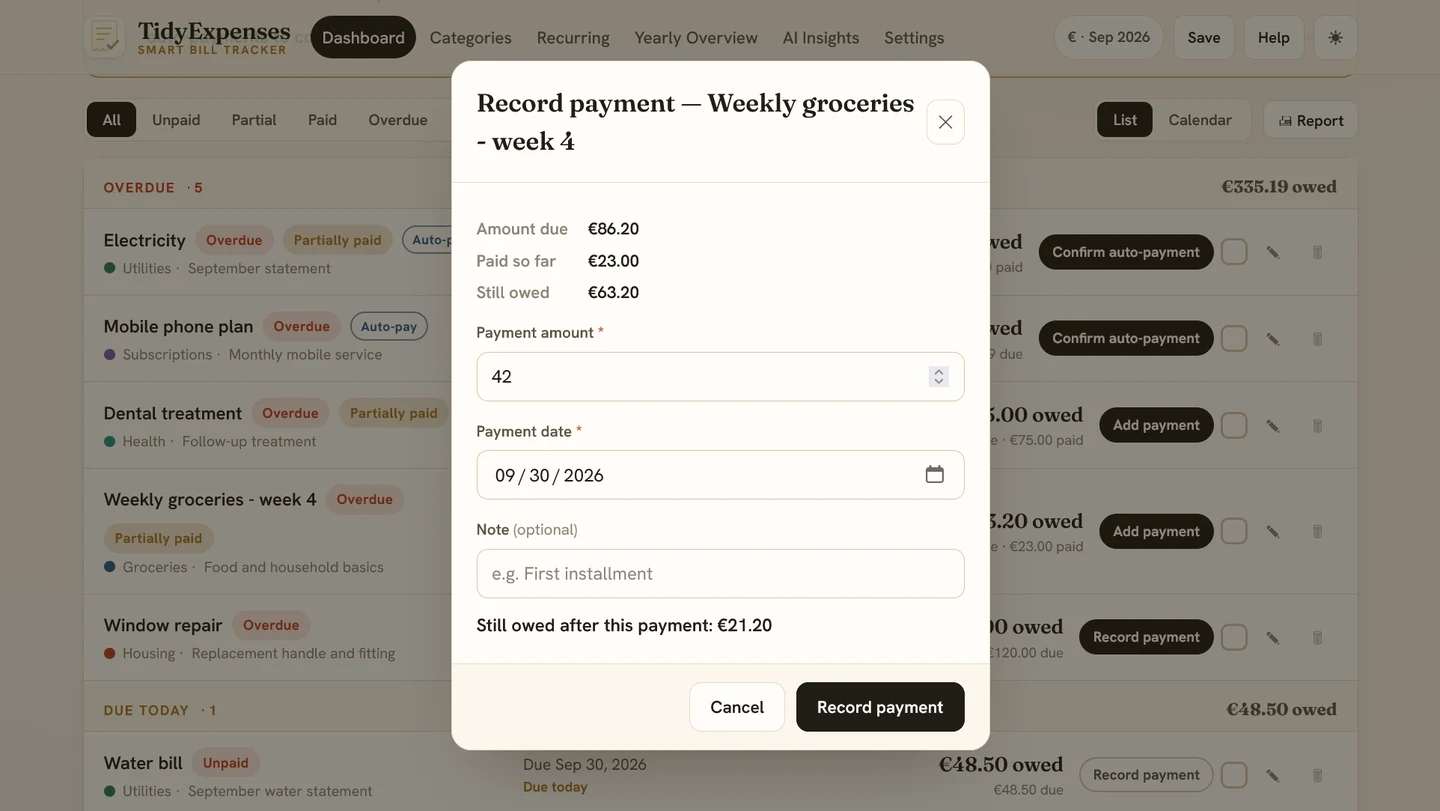
Partial payments: record what you paid and track the remaining balance. For example, a $40 payment toward a $100 bill leaves $60 to pay. Keep that balance with the bill instead of on a separate note.
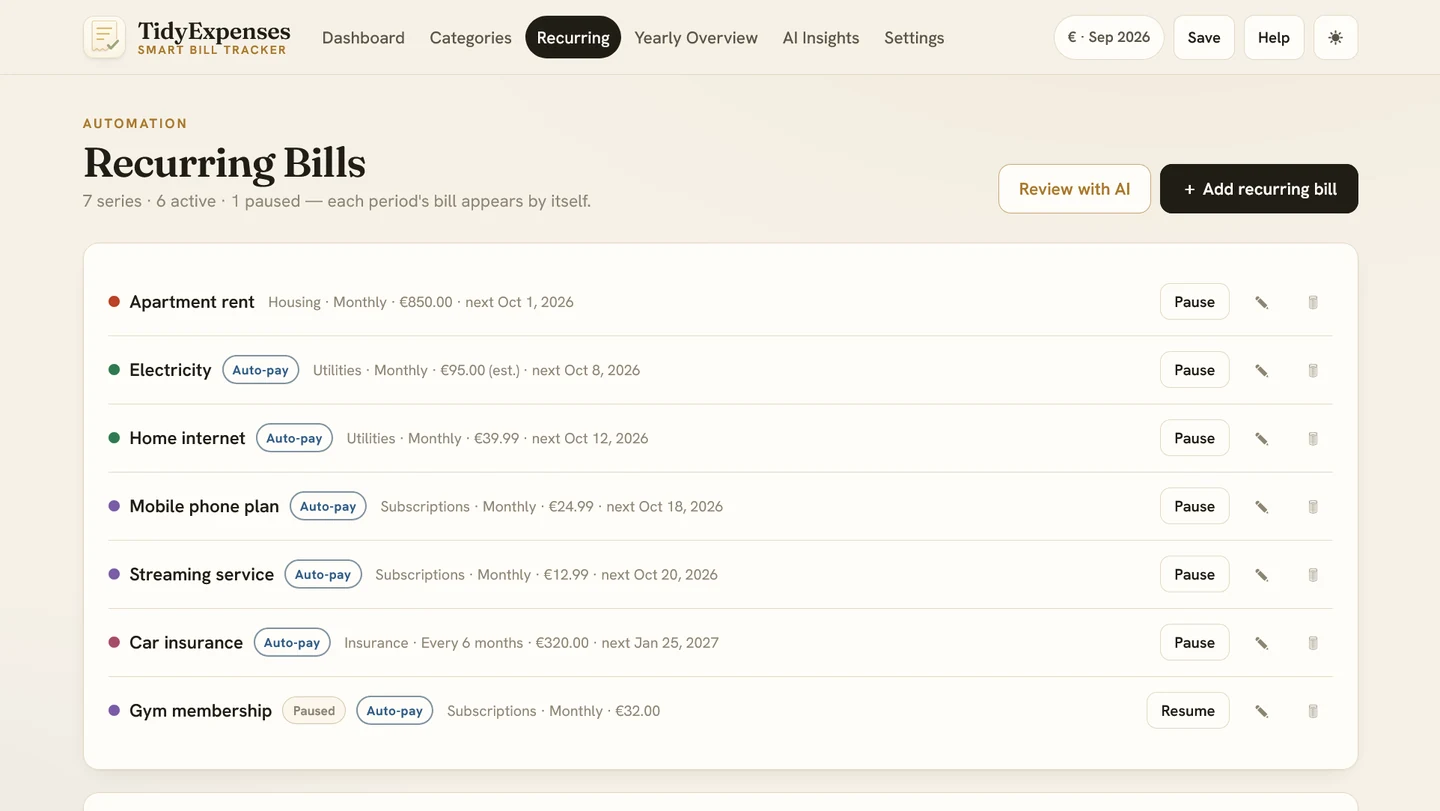
Recurring bills: set a monthly, quarterly, or annual schedule for regular expenses. You can pause a series when you need a break, then review it when the expense returns. Update the amount or schedule whenever your bill changes.
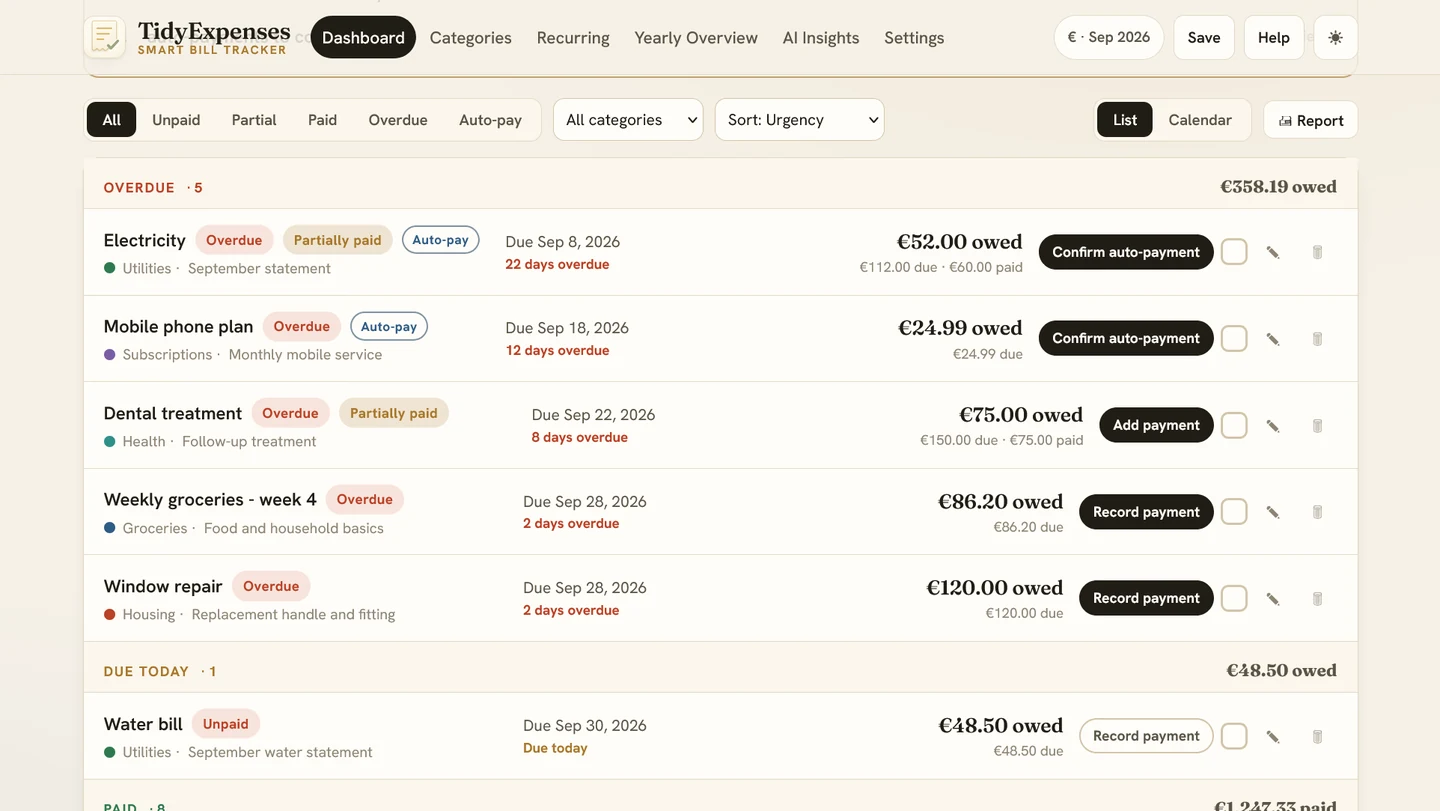
Auto-pay confirmation: flag a bill for automatic payment, then confirm it after checking your bank or payment provider. The app tracks your confirmation; it does not connect to your bank or verify that the payment cleared.
Four more screens to help you organize the details.
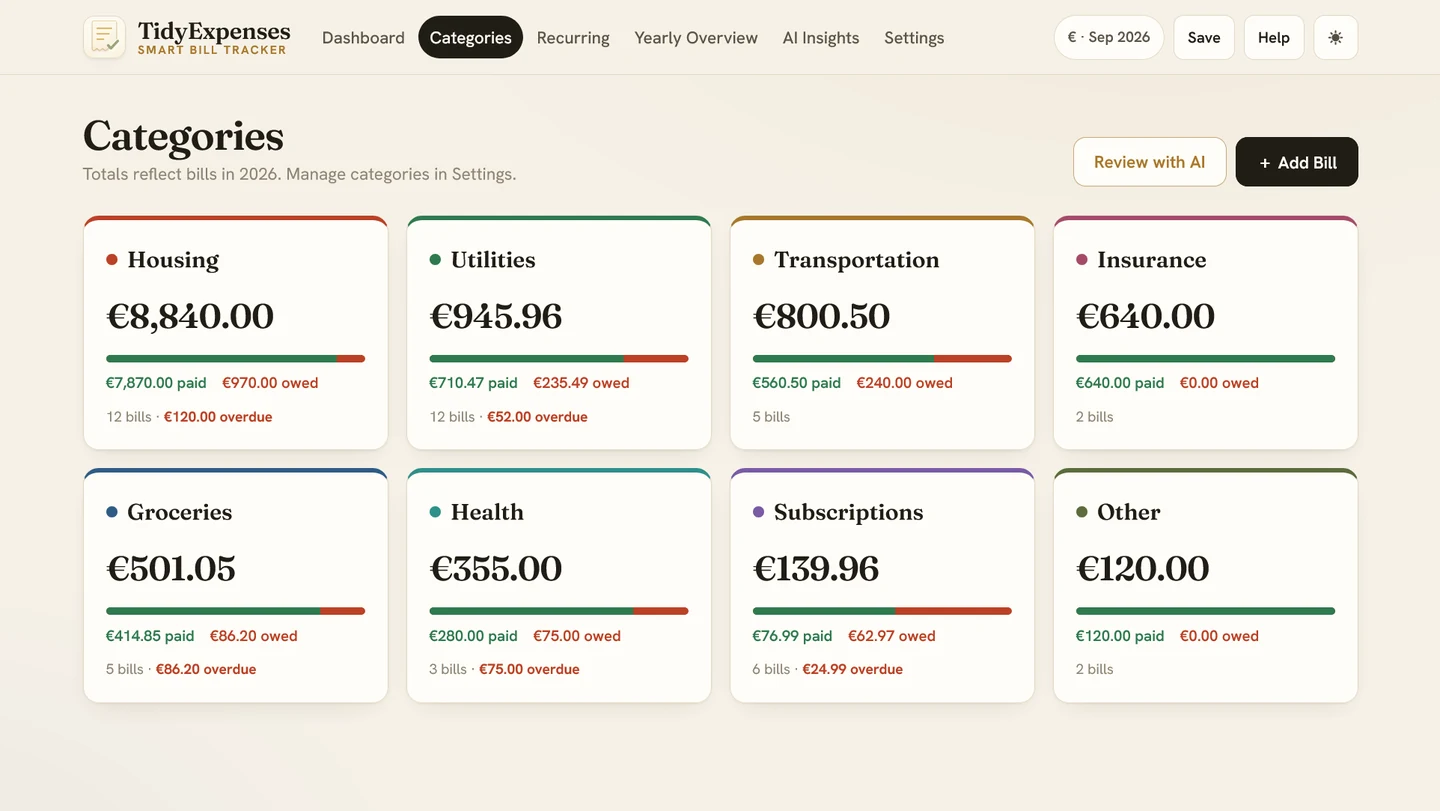
Rent, utilities, insurance, groceries — each gets a card with a paid-vs-owed split and a running yearly total, so "where's it actually going" stops being something you work out by hand.
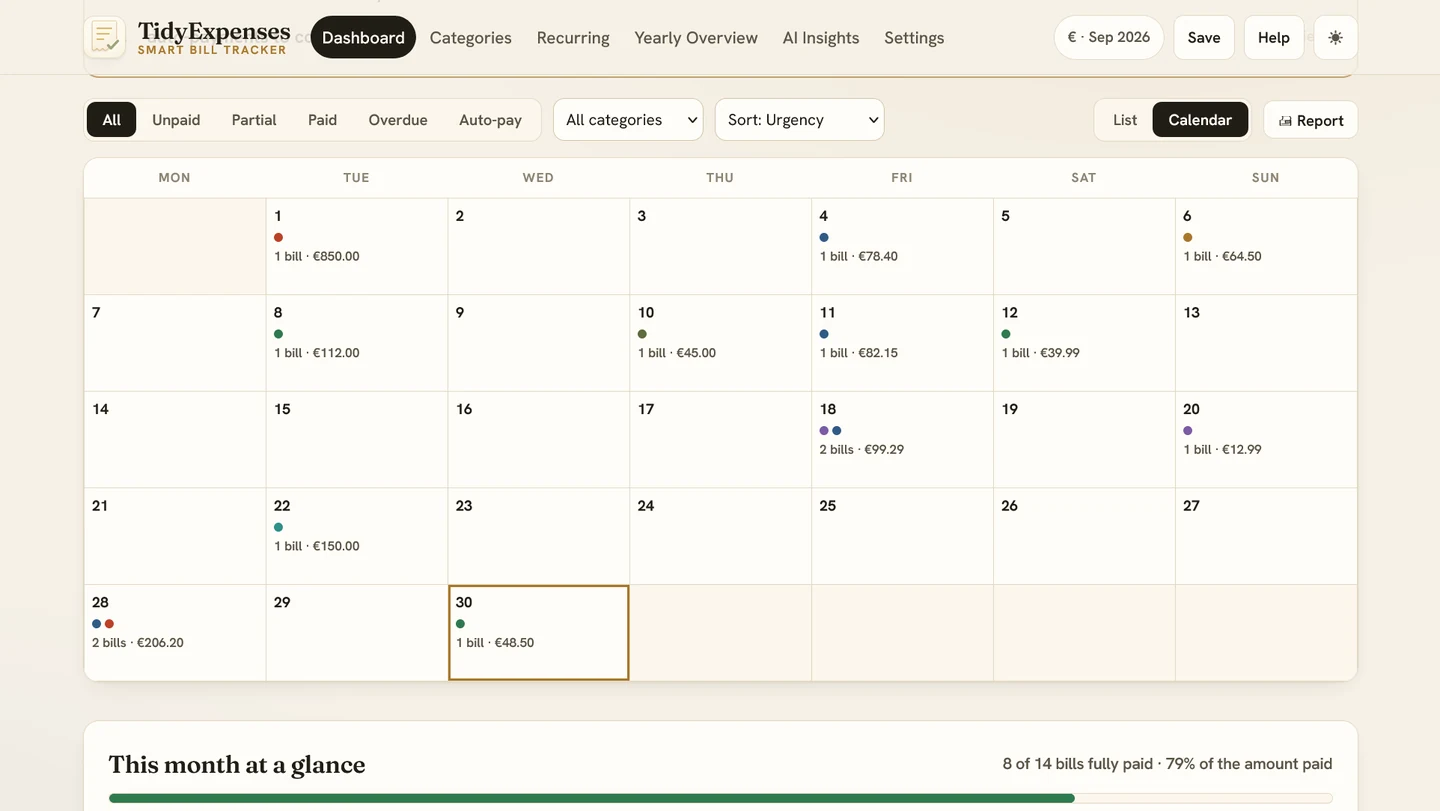
Bills sit on their due dates, colour-matched to category, instead of a list you have to read line by line to find what's coming.
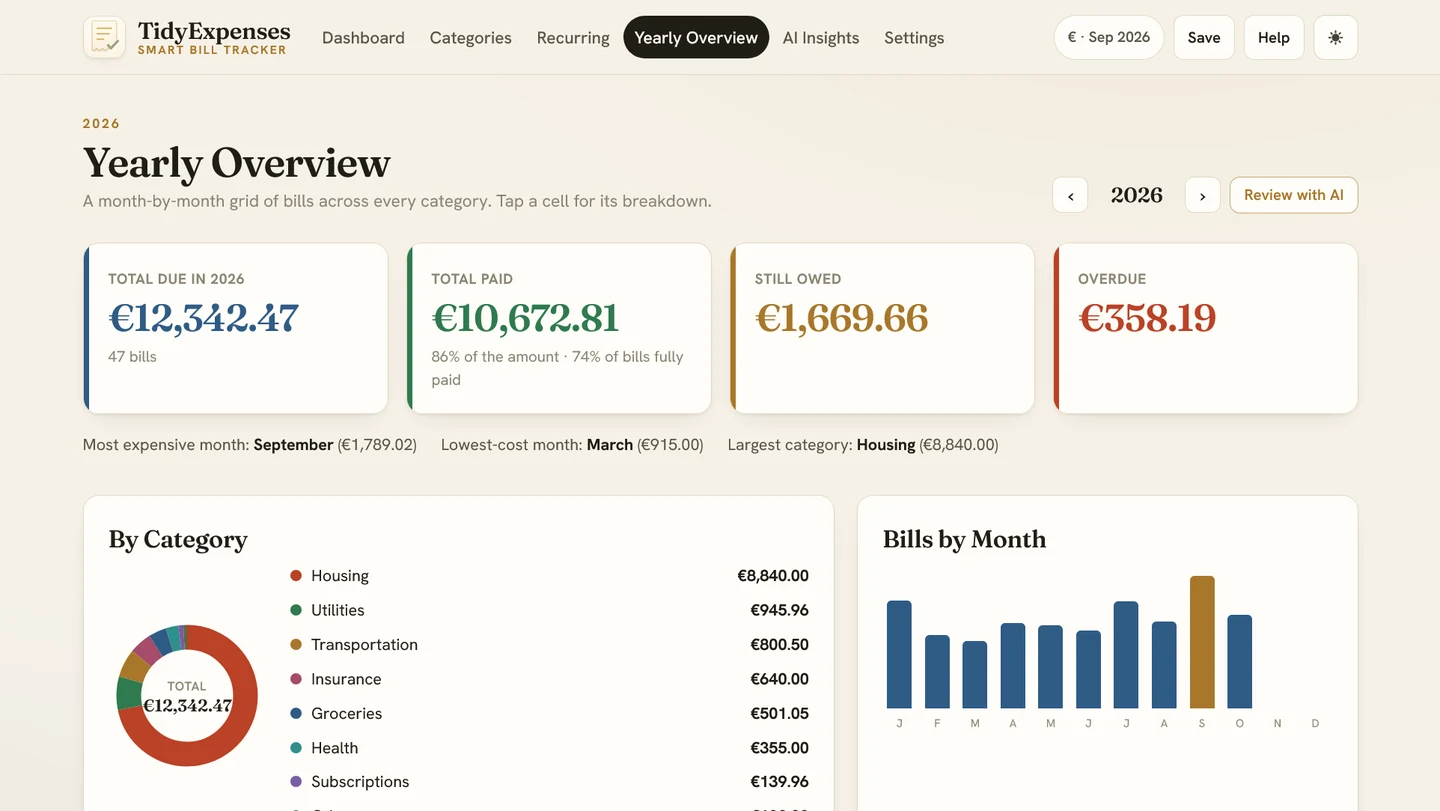
Total due, paid, owed, and overdue for the year, plus your priciest month and biggest category — and a CSV export if you want to go further.
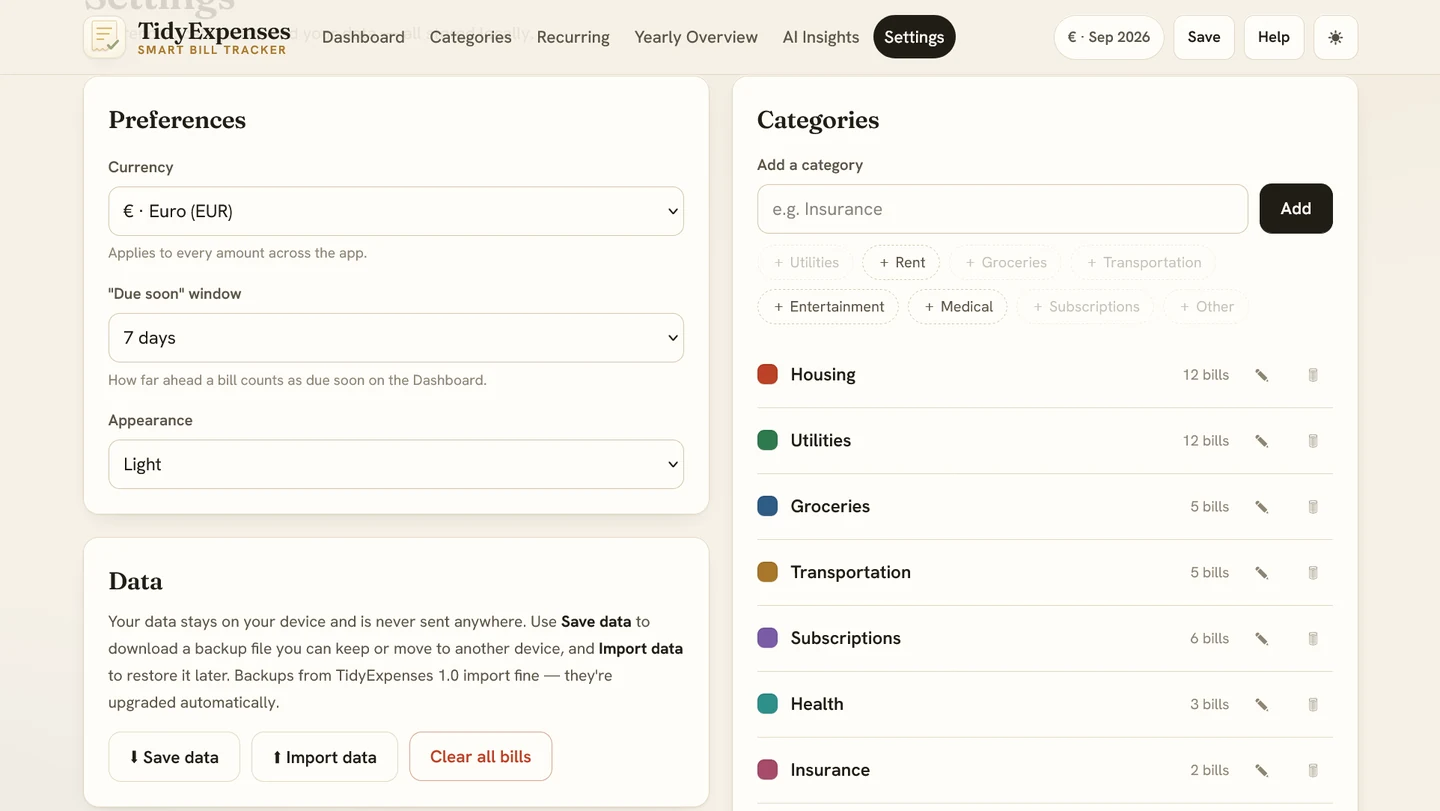
Eleven currencies and a light/dark switch, sure. This is also where the app tells you plainly what "stays on your device" really means — see below.
A spreadsheet is free, which is a genuine point in its favour — we're not pretending otherwise. But free isn't the same as costless. Here's where the actual cost tends to show up:
| Excel / Google Sheets | TidyExpenses | |
|---|---|---|
| Getting started | A blank grid, or a template you'll spend an evening adapting to how you actually pay bills. | Add your first bill in under a minute — the tracker's already built. |
| Trusting the running total | One mis-dragged formula and "still owed" is wrong, possibly for months, before anyone notices. | There's no formula to drag. The balance is calculated fresh, every time. |
| The whole year | Twelve tabs, or one long one you scroll and re-sum by hand. | A yearly view by month and category, already built, exportable in one click. |
| Monthly upkeep | Time spent re-entering, re-checking, and fixing whatever quietly broke. | Time spent logging what happened. The totals take care of themselves. |
"Your data never leaves your device" is genuinely true — and it's also the thing most likely to catch you out if nobody says so plainly first:
The app says all of this itself the first time you open it. We're repeating it here because "private" and "backed up" are two different promises, and only one of them happens automatically.
TidyExpenses is a bill tracker. On purpose. It doesn't track your income, your accounts, your savings goals, or your debt payoff — and it isn't trying to.
"What's due, what's paid, and what do I still owe?" Start here — it's the lightest lift in the line.
"What's my whole financial picture?" Accounts, income, debt payoff, net worth, and bills, together.
Read our honest look at TidyBudget →Think in "what's left in Groceries," not account balances? That's the cash-envelope method, digitized.
Read our honest look at TidyEnvelopes →Don't want an ongoing app at all? Answer questions in a chat once, get a finished plan — no tracking required afterward.
Read our honest look at Budget Plan Agent →We'd rather you work this out here than after you've paid for it.
One payment. No TidyCents subscription. Purchase through Applings Studio.
See TidyExpenses on Applings Studio →Nothing here needs to be settled by reading a web page. If you'd rather test the whole approach — no bank login, one-time payment, everything staying on your device — before spending anything, the free tool is a smaller first step.
Or start smaller: the free Money Leak Score takes two minutes →
Full disclosure: TidyExpenses is our own product, sold through Applings Studio. This page explains its features, costs, and limitations to help you decide whether it fits your household. Product previews are illustrations, not evidence of a customer result.