Like the idea of cash envelopes, but pay for groceries with a card? TidyEnvelopes puts those spending categories on screen. Here is how it compares with paper envelopes, what you enter yourself, and how backups work. It is our own studio's app, sold through Applings Studio.
Before getting into the app: credit where it's due. The envelope method works, and it works for a real psychological reason. Cash in an envelope is a hard limit — you can't overspend "Groceries" by accident when the envelope is visibly, physically empty. No notification, no willpower required, no app to ignore. It's one of the few budgeting systems that makes the constraint impossible to not notice.
A card payment, an online order, or a subscription renewal does not change the cash in a paper envelope. You need a way to record those purchases too. A spreadsheet can do that, and a digital envelope app offers another approach: log each expense against its category and see the balance left to spend.
TidyEnvelopes brings envelope balances and recorded card purchases into the same view.
One HTML file, not an app-store download or a service with a login. Money gets divided into virtual envelopes the way cash would be — Groceries, Rent, a vacation fund — and each purchase logs against one of them. No server means no bank sync and no automatic import; you're recording what you spent the way you'd have counted cash back into an envelope, just faster.
Three everyday situations to help you compare paper envelopes with a digital version.
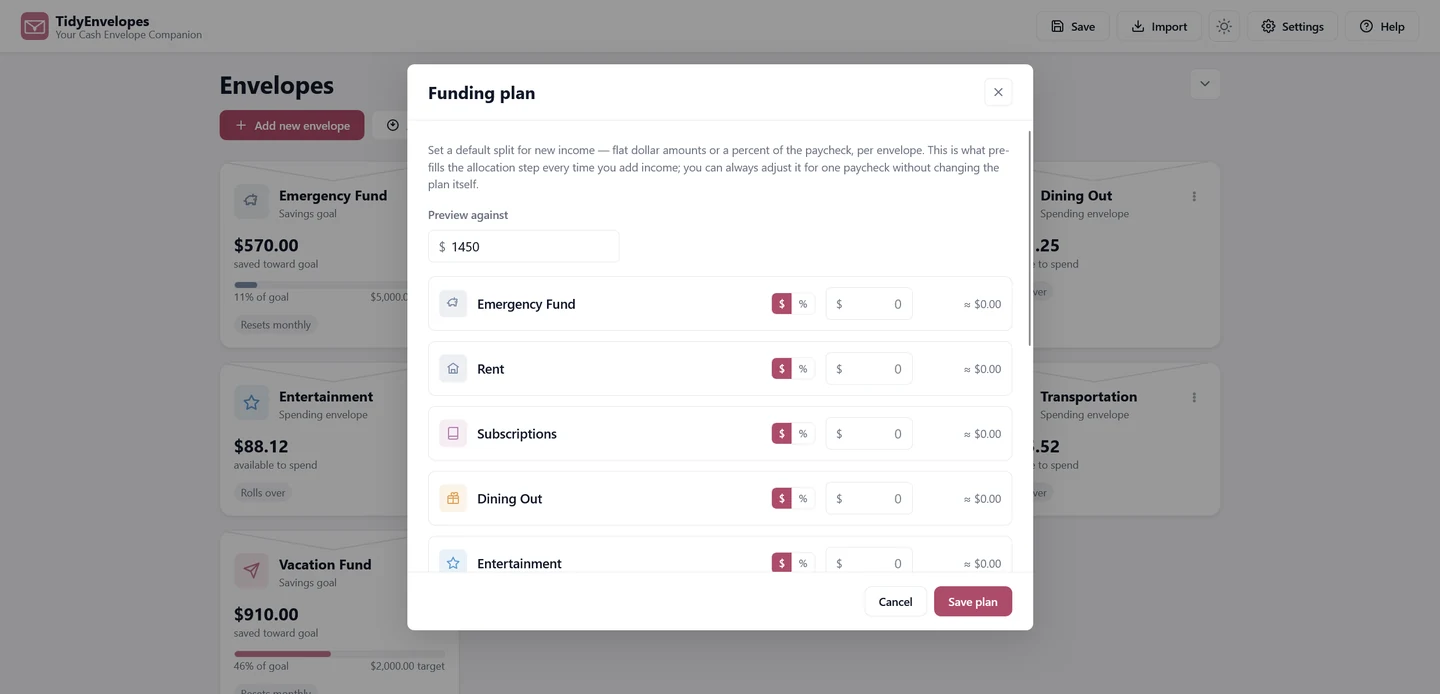
With cash: count and divide the actual bills into envelopes, by hand, every single payday.
With TidyEnvelopes: set a Funding Plan once — flat amounts or a percent, per envelope — and every future paycheck splits itself the same way. You can preview it against any number before you commit to it.
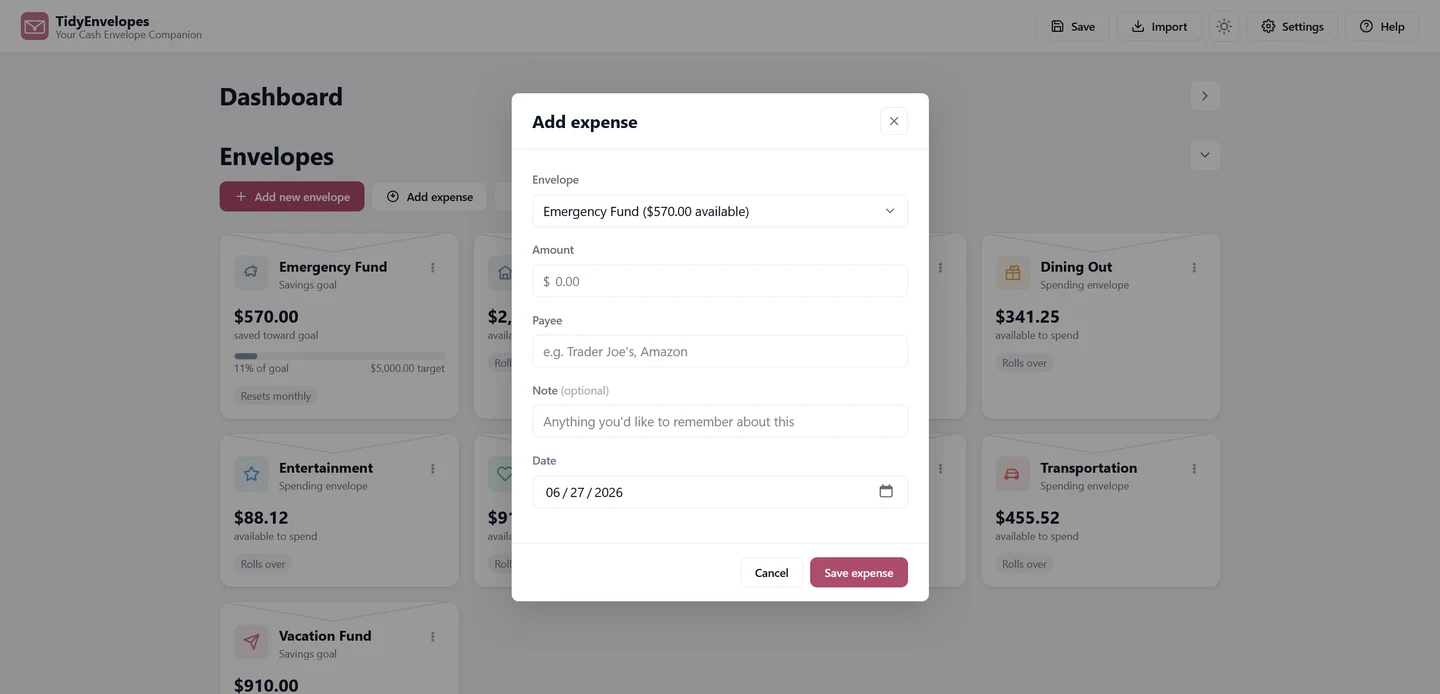
With cash: the envelope's empty. That's the whole system — no more spending from it until next payday, no exceptions.
With TidyEnvelopes: it offers to cover the shortfall from another envelope automatically, and logs the transfer so it isn't an invisible fix — you can still see exactly what happened and undo the habit if it becomes one.
With cash: keep a separate record if you want a history of your envelope balances and spending.
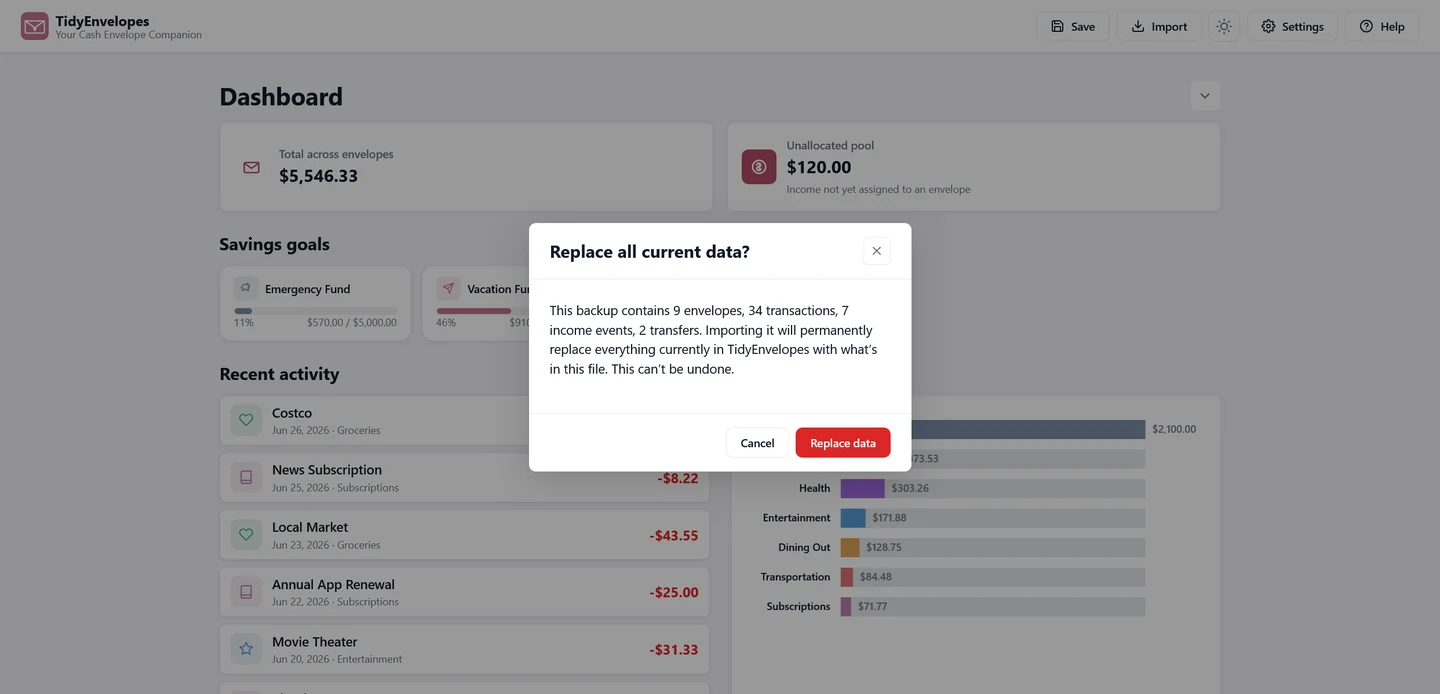
With TidyEnvelopes: export a backup file and keep it somewhere safe. Review the import details before replacing your current data.
Three more screens, quickly.
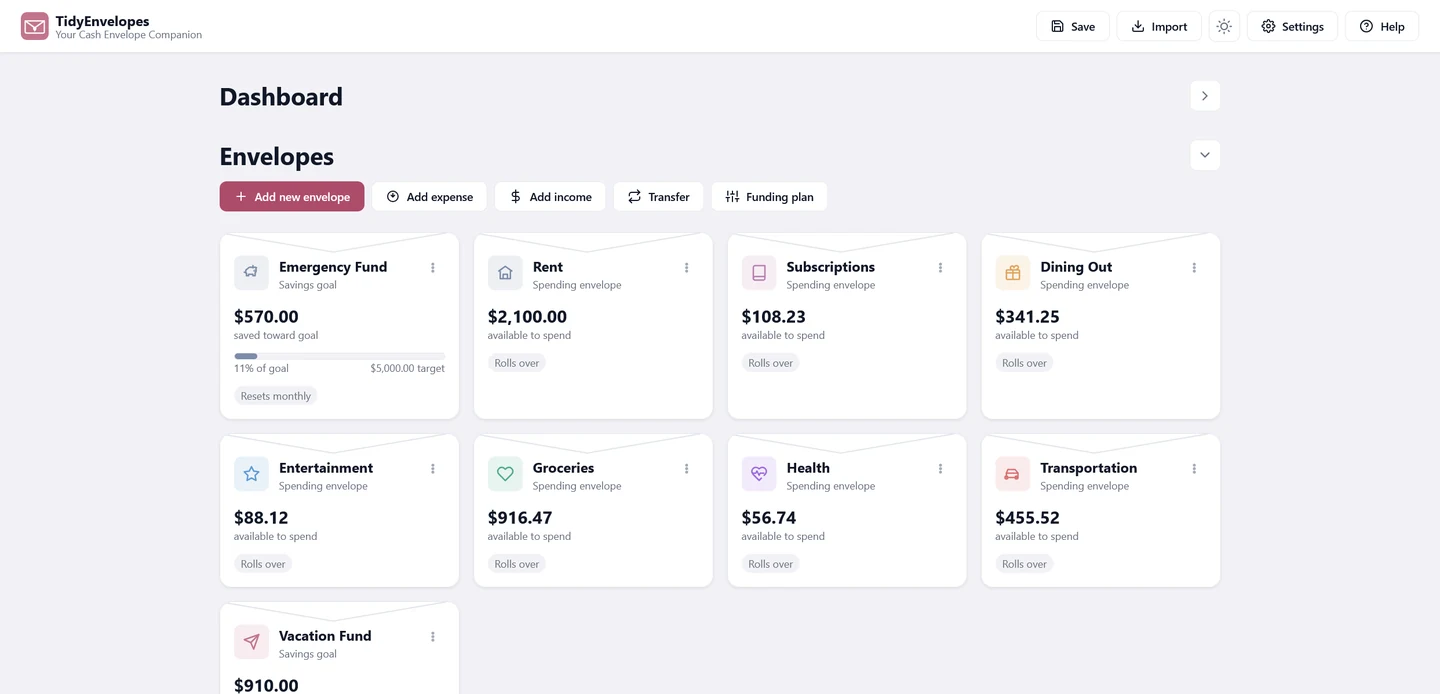
Spending envelopes and savings-goal envelopes side by side, each showing what's available or how close a goal is to its target — no digging required.
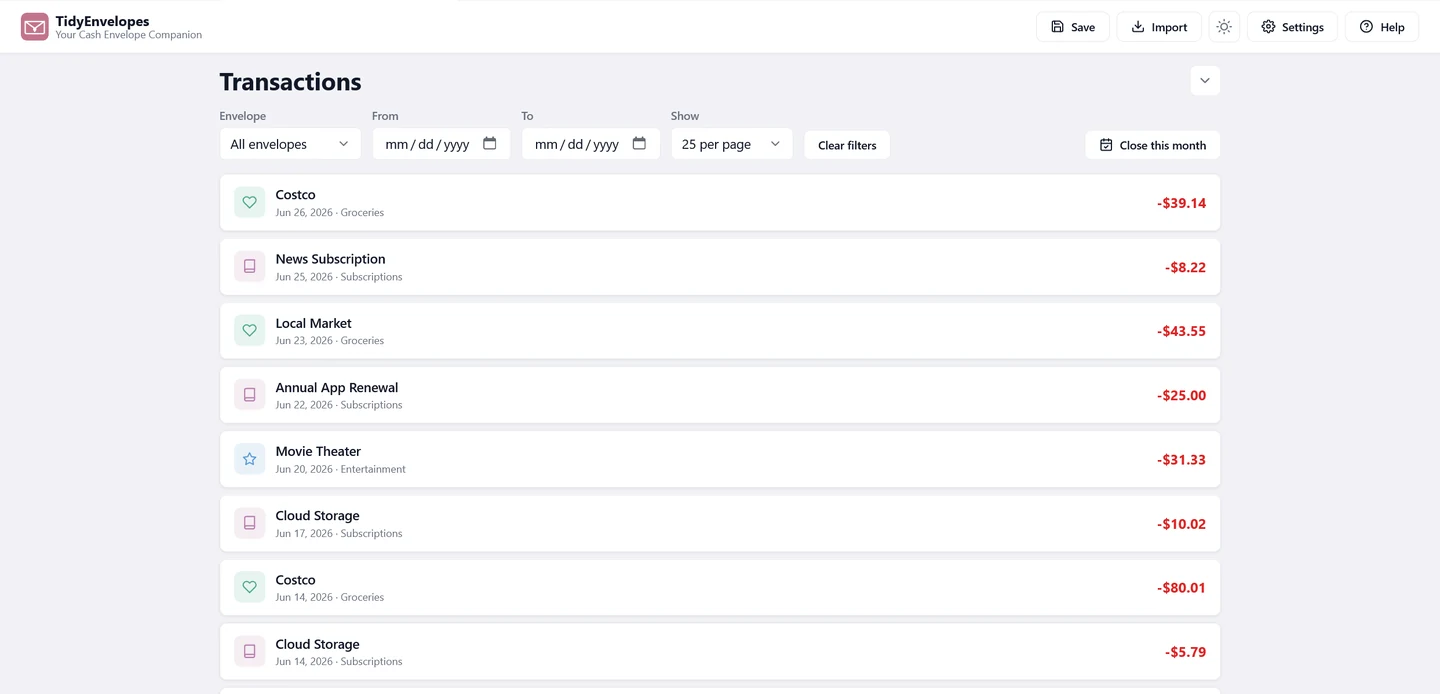
Filter by envelope or date, page through instead of endless scrolling — the kind of thing you only miss once you've needed it and it wasn't there.
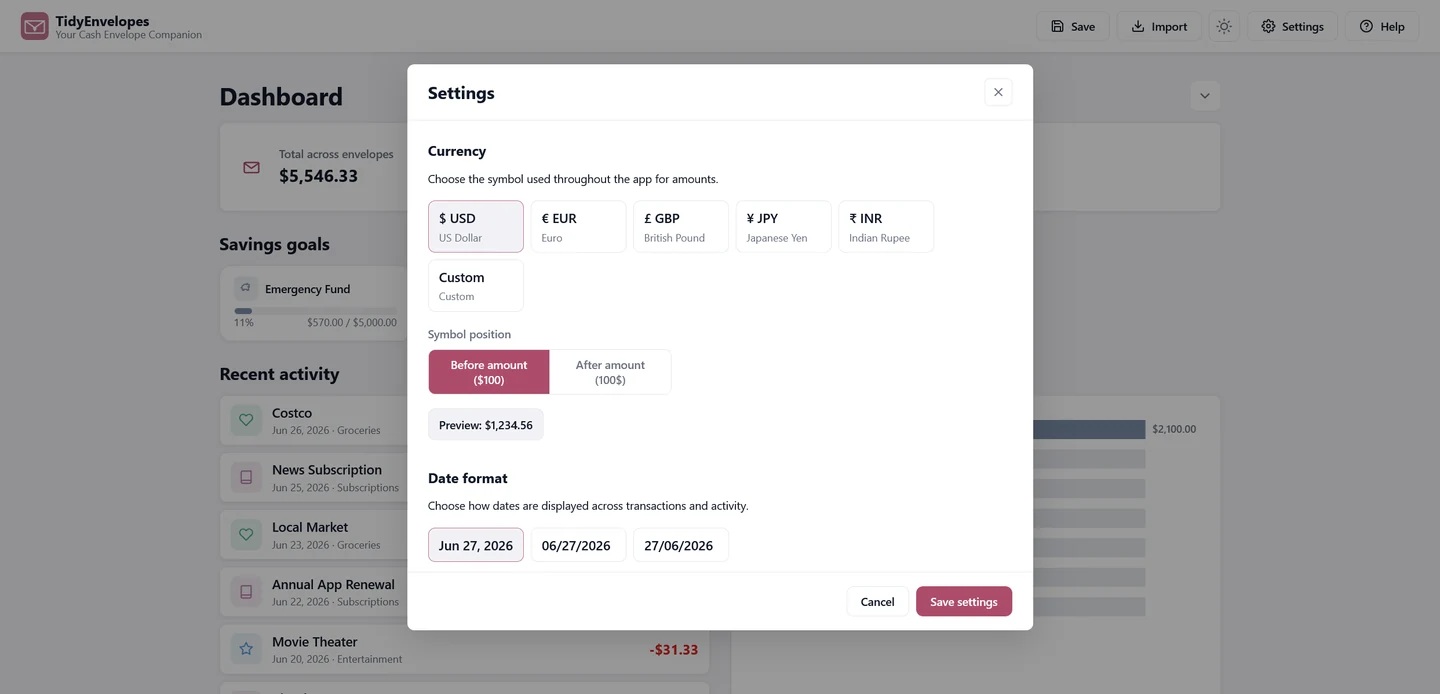
Currency symbol and position, date format, light or dark. Small details, but they're the difference between an app that feels generic and one that feels like your own ledger.
Not a hypothetical comparison — these are the four moments where we actually noticed a difference, tried honestly across all three.
| Physical envelopes | Spreadsheet | TidyEnvelopes | |
|---|---|---|---|
| Splitting income | Count and divide actual bills into envelopes, by hand, every payday. | A formula you set up once and hope you don't disturb. | Set a Funding Plan once — every future paycheck splits itself. |
| A short envelope | It's empty. That's the whole system — no spending until next payday. | A negative number you notice, or don't. | Offers to cover it from another envelope, and logs the transfer. |
| Backup & recovery | Envelopes live in one drawer, in one place, full stop. | Emailing yourself the latest version and hoping it's the newest one. | One-click backup — and the import screen tells you what's in it first. |
| Trusting the total | Count the physical bills — accurate, if you remember to count often. | One dragged formula and the running balance is quietly wrong. | Every balance calculated the same way, every time you open it. |
No auto-sync: like the rest of the TidyCents apps, this one has no server, so it doesn't sync across devices by itself. Chrome on your laptop and Safari on your phone are two separate envelope drawers unless you move a backup file between them yourself.
Import replaces everything: when you import a backup, it doesn't merge with what's already there — it replaces it completely. The app tells you exactly what's in the file first, and warns you it can't be undone, but it's still worth knowing before you import an old backup over a week of new transactions you haven't backed up yet.
Not better or worse than each other — different mental models for different people.
Spend-by-envelope, the classic cash method. For people who think in "what's left in Groceries," not dashboards.
Just the bills — due, paid, owed, overdue. The lightest lift of the tracking tools.
Read our honest look at TidyExpenses →The whole financial picture — accounts, income, debt payoff, net worth, and bills, together.
Read our honest look at TidyBudget →Don't want an ongoing app at all? Answer questions in a chat once, get a finished plan.
Read our honest look at Budget Plan Agent →We'd rather you work this out here than after you've paid for it.
One payment. No TidyCents subscription. Purchase through Applings Studio.
See TidyEnvelopes on Applings Studio →Nothing here needs settling by reading a web page. If you want to test the underlying idea — one hard limit per category, everything staying on your device — before spending anything, the free tool is a smaller first step.
Or start smaller: the free Money Leak Score takes two minutes →
Full disclosure: TidyEnvelopes is our own product, sold through Applings Studio. This page explains its features, costs, and limitations to help you decide whether it fits your household. Product previews are illustrations, not evidence of a customer result.